4th of July Sale: 10% OFF on all KrishaStore Products. Code: INDEPENDENCE10. Limited time.

If you run a WooCommerce store, you already know this situation.
It is 11:45 PM. Your Black Friday sale was supposed to start at midnight. You are watching the clock, waiting to log in and manually update prices across thirty products. One gets missed. One product sits at full price through the morning rush. A customer notices and emails you about it.
Or the reverse. A flash sale you ran last Tuesday is still live four days later because things got busy, and reverting the price slipped your mind.
Neither of these is a disaster on its own. But they cost money, erode customer trust, and happen for the same reason every time: WooCommerce’s built-in scheduling was never designed for stores running promotions on tight timing. Date ranges, yes. Exact times, no. Multiple scheduled windows queued up on one product, not a chance.
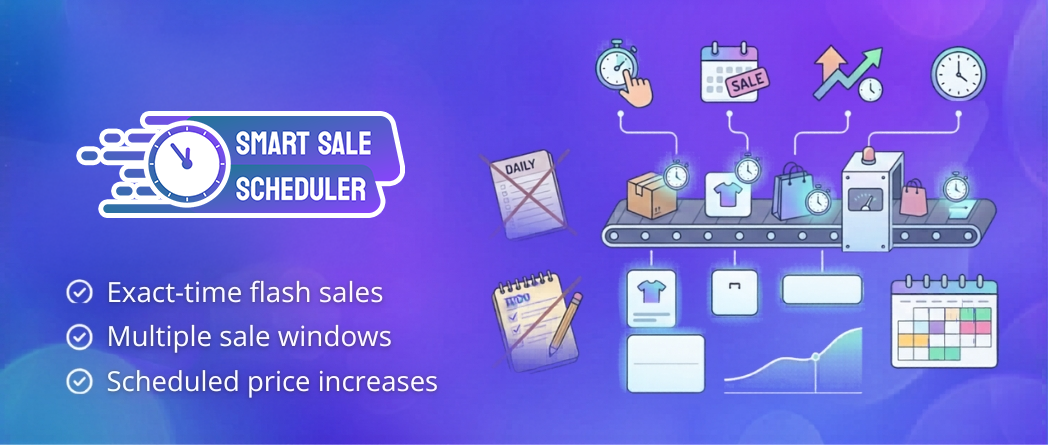
Smart Sale Scheduler for WooCommerce closes that gap. It is free, live on WordPress.org, and is built specifically for store owners who want promotions to run precisely without requiring them to be present when they start or end.
Most store owners manage promotions manually when they start out. Ten products, one sale a month, change the price yourself. That is fine.
Then the store grows. Weekly flash sales. A seasonal promotional calendar planned two months out. Supplier cost increases that need to be reflected in base pricing by a specific date. The manual approach stops working, and the failure shows up in ways that are easy to miss until they compound.
A flash sale that runs long loses its urgency. Customers who notice a “two-hour deal” still running three hours later learn to wait rather than act. The scarcity that makes limited-time offers work gets gradually trained out of your customer base.
A price increase that slips because you forgot to log in on the right date means you absorbed a cost that was supposed to be passed on.
A promotional calendar that requires you to be available at specific times is a calendar that runs your schedule, not the other way around.
Smart Sale Scheduler removes manual timing from the equation entirely. You configure the schedule once. The plugin executes it. You move on.
This is the core functionality, and it is where most scheduling tools fall short.
WooCommerce lets you attach a sale price to a date range. That covers a week-long promotion fine. It cannot handle anything that needs to start at 8 AM and end at noon on the same day. Smart Sale Scheduler works differently: you set a start date, a start time, an end date, and an end time. The plugin activates and deactivates the sale price at those exact moments without any manual intervention.
You can also queue up multiple sale windows for the same product in one session. A launch discount this week, a flash sale next month, a clearance window at quarter end — set all three now, in the same sitting, and the plugin handles each one in sequence when the time comes.
Promotional formats that were previously unreliable to run become straightforward:
Once a window is defined, the discount activates at the scheduled moment and the product returns to its regular price the instant the window closes. No login required. No watching the clock. No cleanup afterward.
A discounted price that only shows on the product listing but quietly reverts at checkout is worse than no discount at all. It creates cart abandonment at the worst possible moment.
Smart Sale Scheduler enforces the scheduled price across the storefront, cart, and checkout simultaneously. Customers see a consistent price at every stage of their purchase. The enforcement runs through WooCommerce’s own pricing filters on woocommerce_product_get_price, variations, and cart calculations, which means it works correctly with themes and other plugins that hook into standard WooCommerce pricing rather than bypassing them.
Real-time activation runs across multiple hooks and via wp_ajax_sssw_check_sale_activation, so prices switch at the scheduled moment without waiting for a page reload or a cron job to catch up.
Simple products get the scheduling interface directly on the product edit screen. Set the sale price, the start and end date and time, done. No separate panel to hunt for. Straightforward for standalone catalogs and single-product stores.
Variable products get variation-level scheduling. Each variation carries its own independent schedule, which matters when different sizes, colors, or configurations need different pricing windows. A conflict detection system with a live status indicator runs as you configure each schedule, flagging overlapping windows before they create contradictory prices in your live store. You catch the mistake during setup rather than discovering it in a customer complaint.
Grouped products get bulk scheduling from the parent level. Apply a sale schedule to the parent product and it cascades to all child products automatically. A bundle with eight components goes on sale in one step, not eight.
This feature tends to surprise store owners because it sits outside how most people think about a sale scheduling plugin. It solves a genuinely frustrating recurring problem.
You need to raise a product from $500 to $600 on January 1st because of a supplier cost increase. Your options without this feature: change it manually on the day, set a reminder and hope it does not slip, or change it early and absorb the gap. None of those are great.
The Increase Price Scheduler lets you enter the new base price and the exact date and time it should take effect. The plugin makes the change at that moment, whether you are logged in or not. You handle it weeks in advance during a session where you are already working, and it executes on schedule without any further attention from you.
For stores that do pricing reviews in response to supplier costs, currency shifts, or seasonal demand, this feature alone makes the plugin worth installing.
Scheduling across a large product catalog creates opportunities for overlapping windows to produce contradictory prices. The plugin handles this with AJAX-powered overlap and duplicate validation that runs as you configure each schedule, not after you save.
If a new schedule overlaps with an existing one on the same product or variation, the system flags it immediately. You fix it in the admin before it ever touches your live store. There is no scenario where a pricing conflict silently plays out for customers before anyone notices.
The plugin is HPOS (High-Performance Order Storage) compatible and tested with the current WordPress and WooCommerce versions. It works with REST API and headless WooCommerce setups because prices are enforced at the data layer through WooCommerce’s pricing filters rather than template overrides. The scheduled price flows correctly through REST API responses and headless frontends without any additional configuration.
A note for developers: The plugin exposes sssw_get_product_ids_on_sale() for accurate sale product lookups. WooCommerce’s native wc_get_product_ids_on_sale() only returns products using core sale fields and will miss SSSW-scheduled sales entirely. Use sssw_get_product_ids_on_sale() anywhere you need a complete picture of what is currently on sale, including plugin-scheduled promotions.
One thing worth knowing about how the plugin interacts with existing WooCommerce sale fields: if a product already has a sale price set without both a start and end date, or if its native date range includes today, WooCommerce’s core pricing takes precedence. Smart Sale Scheduler layers on top of that logic rather than overriding it. Also, if you ever change your site’s timezone settings, re-save any existing scheduled sales afterward to realign the datetimes correctly.
The Pro version adds a daily HTML email digest that lands in the store admin’s inbox every day, summarizing every product scheduled to go on sale the following day: product names, SKUs, and the prices they will switch to.
This is the review layer that makes the automation genuinely comfortable to rely on. You get a 24-hour window to catch a pricing mistake, verify a schedule looks right, or make a last-minute adjustment before anything reaches customers. If fifteen products are going on sale tomorrow, you see all fifteen in one clean summary rather than needing to cross-reference your scheduling setup manually. For stores running frequent promotions across a large catalog, that daily email becomes part of the operational routine quickly.
Solo operators and small teams running regular promotions. If you are handling marketing, customer service, and product management yourself, watching the clock for sale start times is not a good use of your attention. Setting a schedule once and trusting it to execute correctly changes the operational texture of running promotions significantly.
Stores where urgency is part of the marketing strategy. Flash sales work because they are genuinely limited. That urgency collapses the moment a sale runs longer than advertised. Customers who catch a two-hour deal still live three hours later, and start waiting instead of acting. Exact-time scheduling is what keeps limited-time offers credible.
Store owners who plan pricing changes. If you review and adjust pricing more than once a year, especially in response to cost changes or seasonal demand, scheduling those changes in advance removes a recurring task that has no business requiring your attention on the specific day it needs to execute.
WooCommerce does have sale scheduling. You can attach a sale price to a start and end date. For straightforward use cases, that is enough.
This plugin starts where WooCommerce’s native scheduling stops.
| Feature | WooCommerce Native | Smart Sale Scheduler |
| Sale Price Scheduling | Date range only | Exact date and time |
| Flash Sale Support | Not reliably | Down to the hour |
| Multiple Sale Windows Per Product | Not supported | Fully supported |
| Scheduled Base Price Increases | Not supported | Supported |
| Variation-level Scheduling | Basic | Full, with live conflict detection |
| Grouped Product Bulk Scheduling | Not supported | Supported |
| Conflict Detection | None | AJAX-powered, real-time |
| Price Enforcement | Product page | Storefront, cart, and checkout |
| Pre-sale Email Digest | Not included | Pro version |
| HPOS Compatibility | Native | Fully compatible |
| REST API / Headless Support | Native | Fully compatible |
Get the Plugin
Smart Sale Scheduler for WooCommerce is free and available now on WordPress.org.
Download Smart Sale Scheduler for WooCommerce
Search “Smart Sale Scheduler for WooCommerce” under Plugins > Add New in your WordPress dashboard, or download directly from the link above.
Questions or want more details before installing? Email us at [email protected], and we will get back to you.
What does Smart Sale Scheduler do that WooCommerce cannot handle natively?
The native WooCommerce sale scheduling gives you a start date and an end date, and that is where it stops. There is no support for exact times within those dates, so a flash sale starting at 10 AM is not something WooCommerce can handle on its own. There is no way to queue up multiple future sale windows for the same product at once. There is no conflict detection when you create overlapping schedules. There is no tool for scheduling a base price increase rather than a sale. And there is nothing that notifies you before a promotion goes live. Smart Sale Scheduler handles all of those gaps. It is not replacing WooCommerce’s pricing system; it is adding the scheduling precision that WooCommerce leaves out.
I sell products with dozens of variations. Does the plugin schedule at the variation level?
Every variation gets its own independent schedule. If you sell a jacket in eight sizes and want to put the medium and large on sale while the others stay at full price, you configure those two variations separately, and the plugin handles both on their own timelines. The live conflict detection runs at the variation level too, so if you accidentally create overlapping windows for the same variation, the system catches it immediately rather than letting contradictory prices play out in your store.
Can it update my regular product price on a future date, not just run a sale?
That is exactly what the Increase Price Scheduler is for. You enter the new base price and the date and time you want it to apply. The plugin makes the change at that moment, whether or not you are logged in. It is particularly useful for supplier cost pass-throughs, annual pricing reviews, and any change you know is coming, but do not want to rely on remembering to make manually on a specific day.
What happens if I create two overlapping sale windows on the same product by mistake?
The conflict detection runs via AJAX as you configure each schedule, so it catches the overlap before you save rather than after. If a new window conflicts with an existing one, the system flags it immediately in the admin. You fix it during setup rather than finding out through a customer complaint about inconsistent pricing.
How does the plugin handle grouped products?
Apply the sale schedule to the parent product, and the plugin cascades it to all child products automatically. A bundle with ten components goes on sale in one configuration step rather than ten separate ones.
Does it work with headless WooCommerce or a REST API setup?
Prices are enforced through WooCommerce’s own pricing filters at the data layer rather than through template overrides, so the scheduled price flows correctly through REST API responses and headless frontends. No additional configuration needed. The plugin is also HPOS compatible and tested with the current WordPress and WooCommerce versions.
I already have sale prices set on some products using WooCommerce’s native fields. Will this plugin cause conflicts?
The plugin respects the native WooCommerce sale fields in two specific scenarios: if a product has a sale price set without both a start and end date, and if a sale price has a native date range that includes today. In both of those cases, WooCommerce’s core pricing takes precedence, and the plugin does not override it. Smart Sale Scheduler layers on top of the existing logic. One practical thing to keep in mind: if you ever change your site’s timezone settings, go back and re-save any scheduled sales so the datetimes realign correctly.
The email digest is listed as Pro. What does free include versus paid?
The free version includes everything needed to run fully automated sale scheduling: exact-time scheduling, multiple sale windows per product, variation-level scheduling with live conflict detection, grouped product bulk scheduling, the Increase Price Scheduler, HPOS compatibility, and REST API support. The one thing that lives in the Pro version is the daily email digest, which sends a summary of tomorrow’s scheduled sales to the store admin each morning. For stores running frequent promotions across a large catalog, that daily review layer is genuinely useful. For stores with occasional promotions and a smaller product range, the free version covers everything.
I am a developer integrating this plugin with other tools. Anything I should know?
Two things worth knowing. First, use sssw_get_product_ids_on_sale() instead of WooCommerce’s native wc_get_product_ids_on_sale() anywhere you need a complete list of products currently on sale. The native function only returns products using WooCommerce’s core sale fields and will miss any SSSW-scheduled sale that is currently active. Second, real-time sale activation runs across multiple hooks and via wp_ajax_sssw_check_sale_activation, so prices switch at the scheduled moment without waiting on a slow cron cycle.


 WordPress Plugins


