

 WordPress Plugins

Product Description
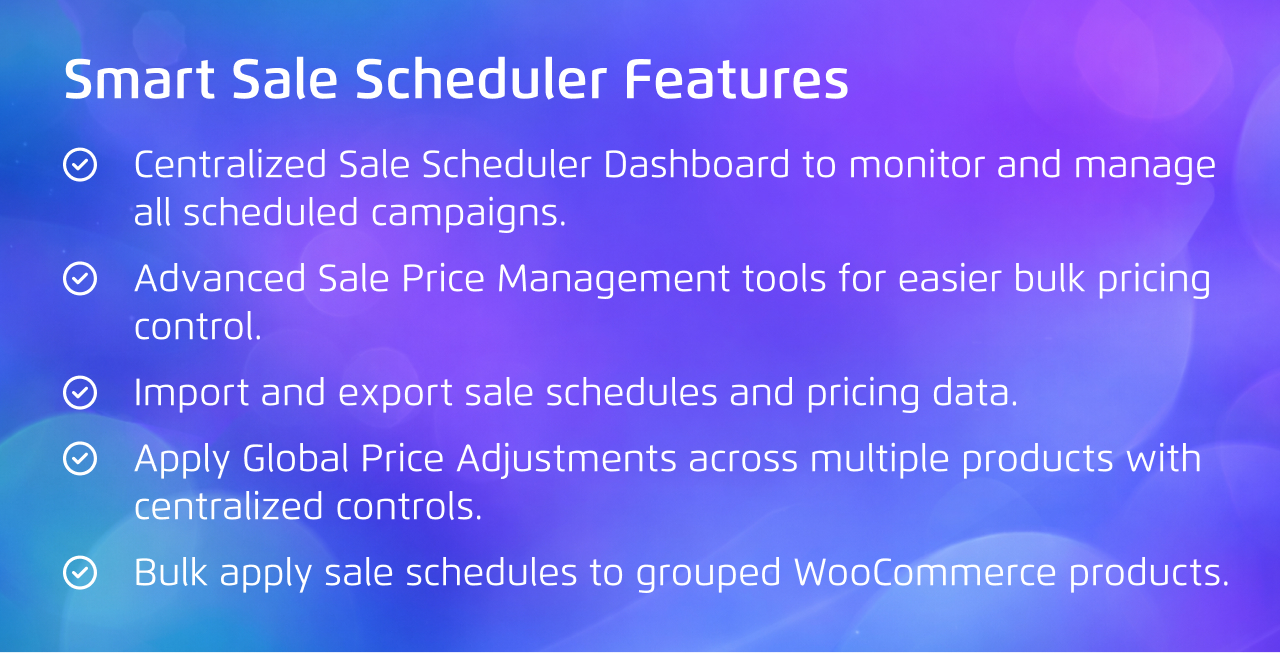
Smart Sale Scheduler for WooCommerce Pro is an advanced WooCommerce sale scheduling plugin designed to help store owners automate flash sales, scheduled discounts, promotional pricing, and future price updates with precision. The Pro version extends WooCommerce sale management with a centralized Sale Scheduler Dashboard, advanced Sale Price Management, Import/Export Sale Data, and Global Price Adjustments, making it easier to manage large-scale WooCommerce promotions from a single interface. Whether you run seasonal campaigns, limited-time offers, holiday sales, or bulk pricing updates, the plugin helps automate your WooCommerce pricing strategy while reducing manual work and pricing errors.
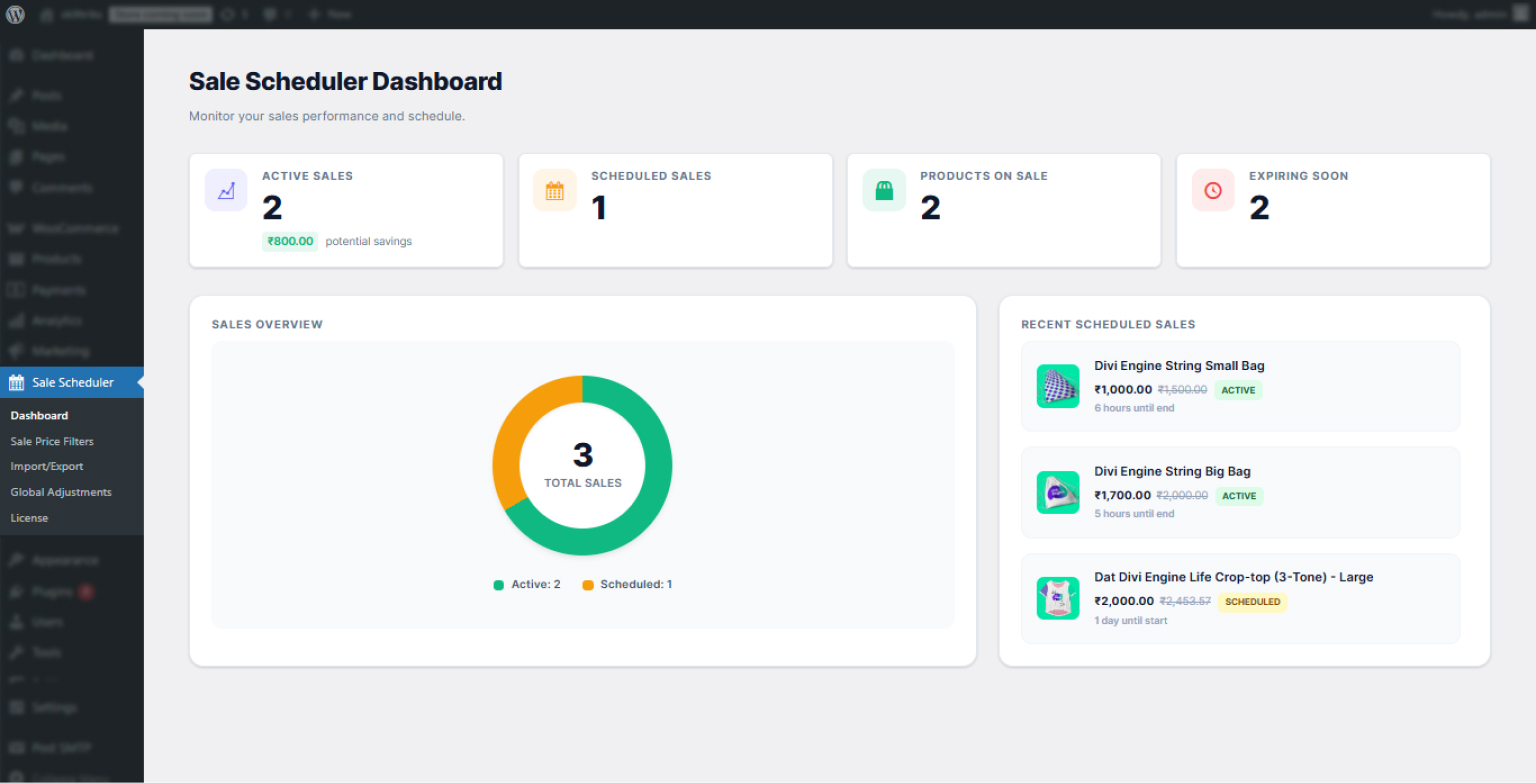
The centerpiece is the Sale Scheduler Dashboard. Instead of opening individual product pages to check what is scheduled, you see every active and queued sale across your entire store on one screen. What is running now? What starts tomorrow. What ended last week? It is the kind of operational visibility that matters when you are managing a Black Friday campaign across 200 SKUs, and you need to confirm everything is correctly scheduled without opening 200 product pages.
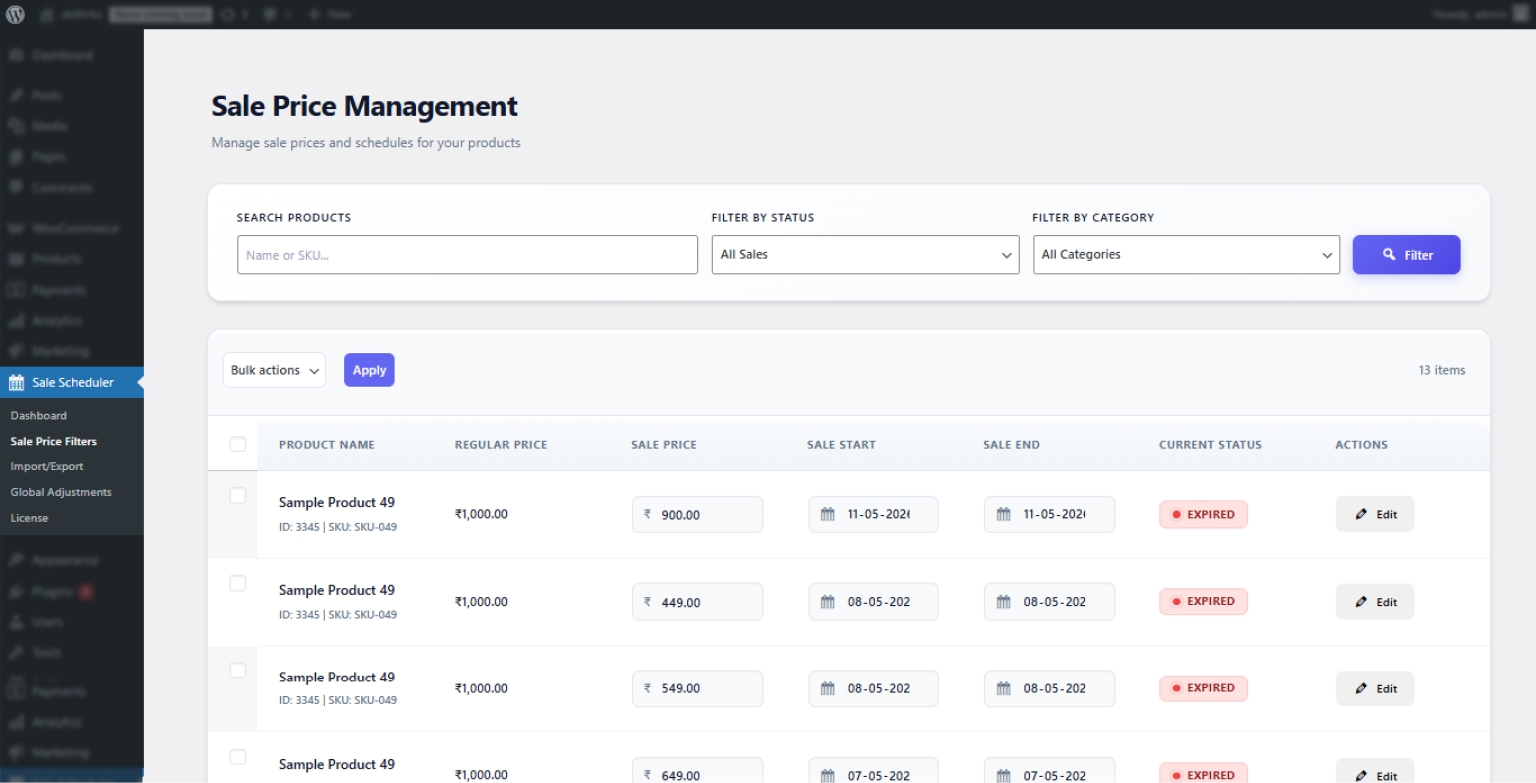
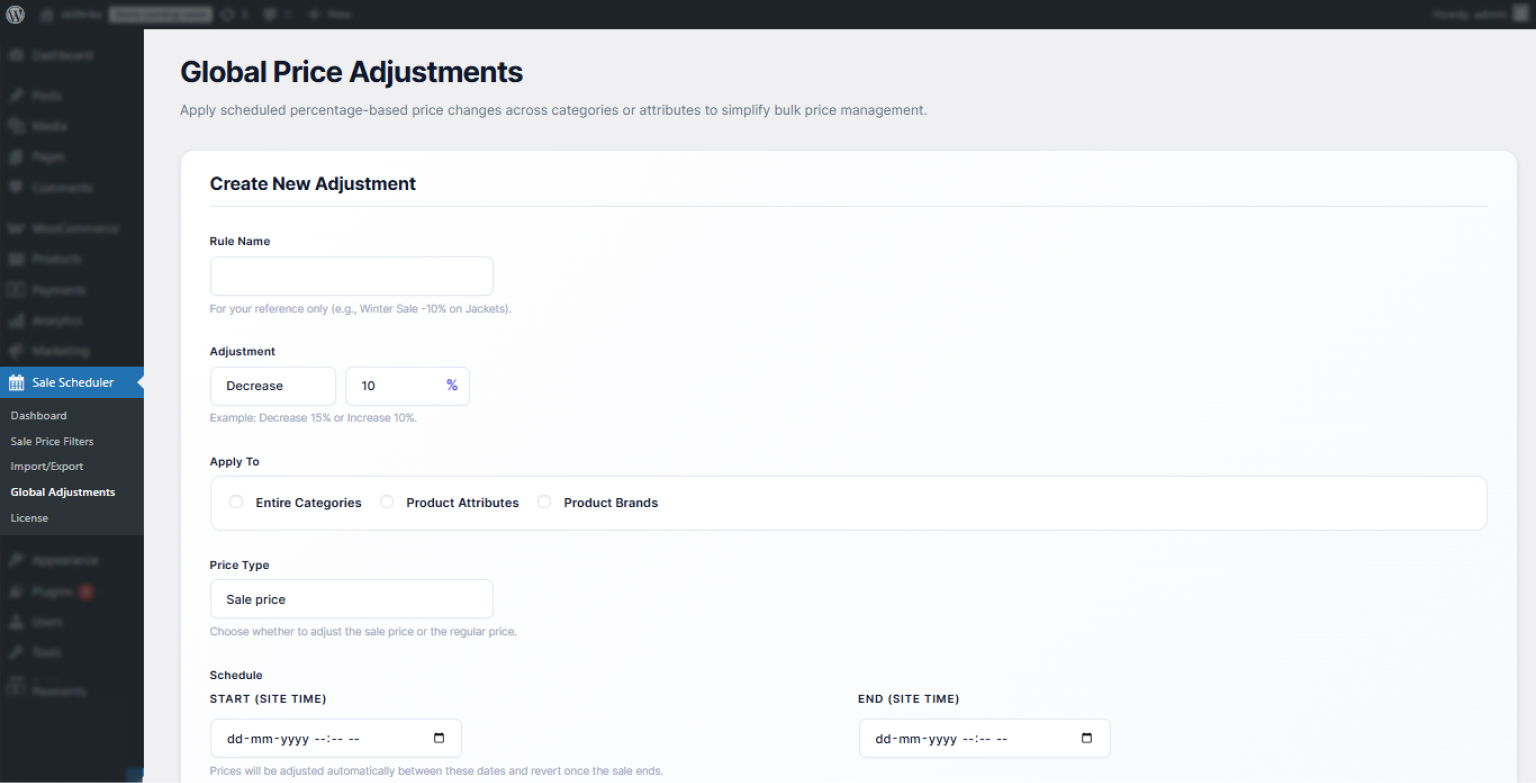
The Sale Price Management panel gives you control over pricing across the catalog from a single interface. Adjust scheduled sale prices in bulk without editing products individually. Apply global percentage-based price adjustments across categories or the full catalog at once. This is particularly useful for seasonal promotions where the same discount applies across a large product range.
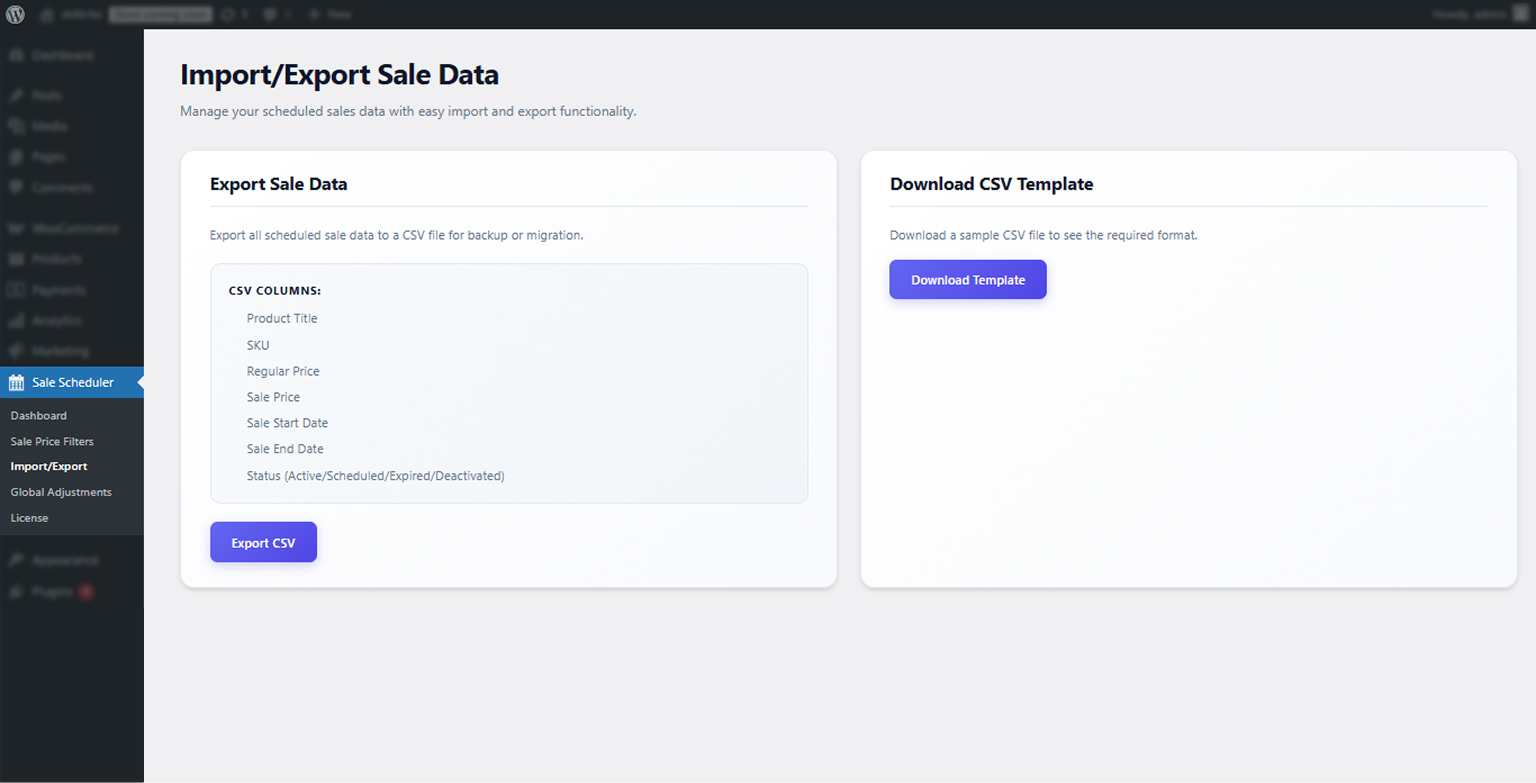
CSV import and export changes how you build your promotional calendar. Plan your campaigns in a spreadsheet, export to CSV format, and import into the plugin, and the entire schedule is set in one operation. When a campaign ends, export the data for analysis or to use as the template for the next cycle.
Every Pro feature is built on the same technical foundation as the free version. Scheduled prices are enforced via WooCommerce’s own pricing filters at the data layer, not template overrides. Prices are consistent across the product page, shop archive, cart, checkout, and REST API responses. The plugin is fully compatible with WooCommerce HPOS and works correctly with headless WooCommerce setups.
The free version continues to handle most single-store scheduling needs. The Pro version is for stores where manual product-by-product management has become the bottleneck.
| Product Information Table | |
|---|---|
| Product Name: | Smart Sale Scheduler for WooCommerce PRO |
| Developed by: | KrishaWeb |
| Latest Version: | 1.0 |
| WordPress version compatibility: | 6.6 or higher |
| WooCommerce version compatibility: | Latest stable version |
| License: | Per site subscription |
| Support: | Premium support included |
Developer Notes:
- Use sssw_get_product_ids_on_sale() instead of wc_get_product_ids_on_sale() for scheduled sale compatibility.
- sssw_get_product_ids_on_sale() returns both WooCommerce core sale products and Smart Sale Scheduler scheduled sale products.
- Scheduled prices are enforced using WooCommerce pricing filters, variation pricing hooks, and cart calculation hooks.
- Real-time sale activation and deactivation runs across multiple WooCommerce/WordPress hooks and via wp_ajax_sssw_check_sale_activation.
- Compatible with REST API and headless WooCommerce implementations.
- Fully compatible with WooCommerce HPOS architecture.
Installation Steps:
- Purchase and download the Smart Sale Scheduler Pro zip file from your KrishaStore account.
- In your WordPress Dashboard go to “Plugins” -> “Add Plugin”.
- Click Upload Plugin and select the downloaded zip file.
- Install the plugin by pressing the “Install” button.
- Your licence key will be in your KrishaStore account dashboard. Enter it under Smart Sale Scheduler Pro > License to activate updates and premium support.