

 WordPress Plugins

Product Description
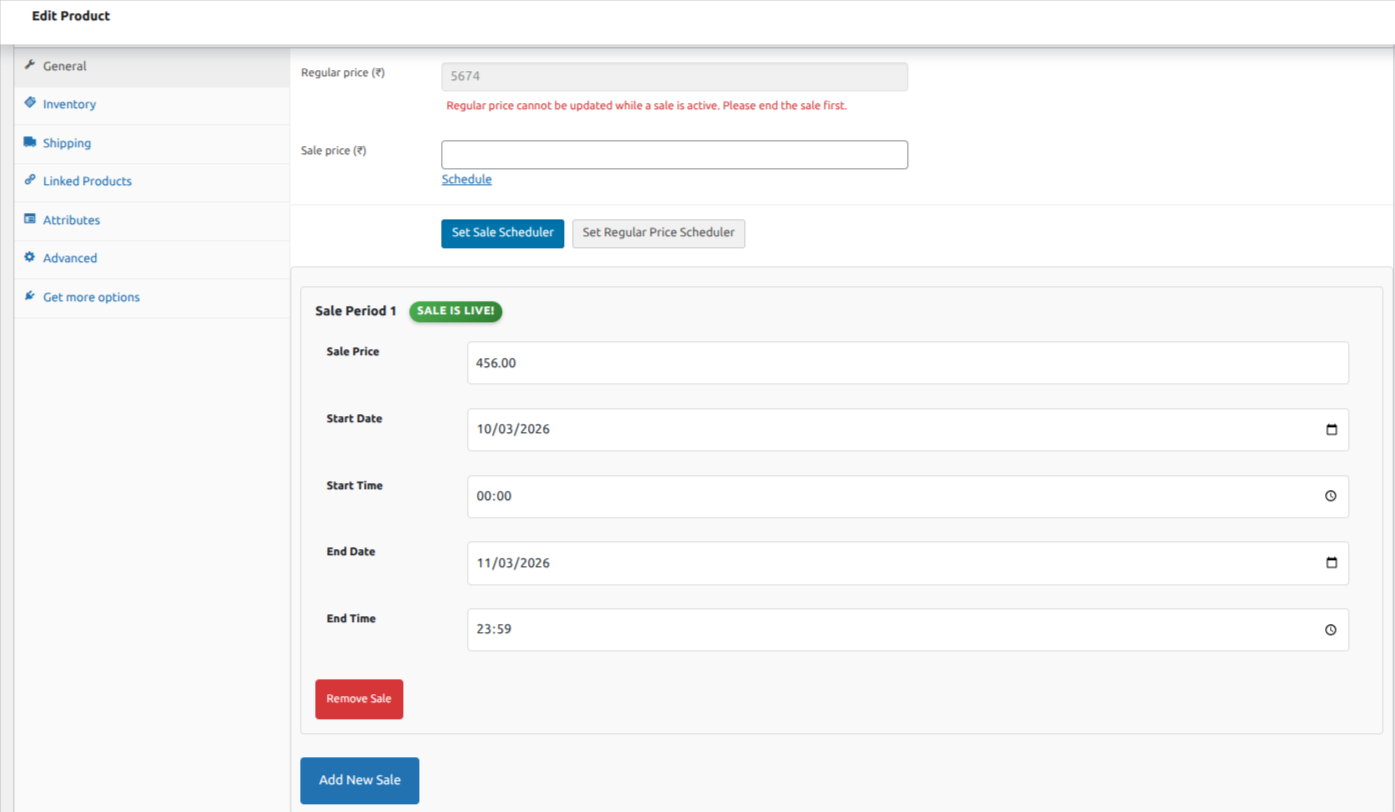
Smart Sale Scheduler for WooCommerce gives you complete control over your pricing calendar. Schedule multiple sale periods per product with exact start and end dates and times, and let the plugin handle everything from activation to deactivation automatically.
WooCommerce’s built-in scheduling only supports date ranges. No exact times, no multiple windows per product, no bulk scheduling for grouped products. Smart Sale Scheduler fills every one of those gaps.
Whether you are running a two-hour flash sale, a seasonal discount across a large catalog, or a recurring promotional calendar planned weeks in advance, the plugin executes each schedule precisely without requiring you to be logged in when it starts or ends.
Why Store Owners Use It
Manually managing sales across a growing product catalog is time-consuming and error-prone. Sales start late. Flash sales run long and lose their urgency. Price increases get delayed. Smart Sale Scheduler removes manual timing from the equation entirely. You configure the schedule once and move on.
Smart Sale Scheduler Core Features
Schedule Multiple Sales Per Product Set individual start and end dates with exact times for each sale window. Queue up several future sale periods on the same product in a single session. The plugin activates and deactivates each window automatically at the right moment.
Pricing Enforced Across Storefront, Cart, and Checkout Scheduled prices are enforced at the data layer via WooCommerce’s own pricing filters, not through template overrides. Customers see a consistent price at every stage of their purchase journey, with no surprises at checkout.
Full Support for Simple, Variable, and Grouped Products The scheduling interface lives directly on the product edit screen for simple and variable products. Variable products support variation-level scheduling, so different sizes, colours, or configurations can each have their own independent sale windows. For grouped products, apply a sale schedule to the parent and it cascades to all child products automatically.
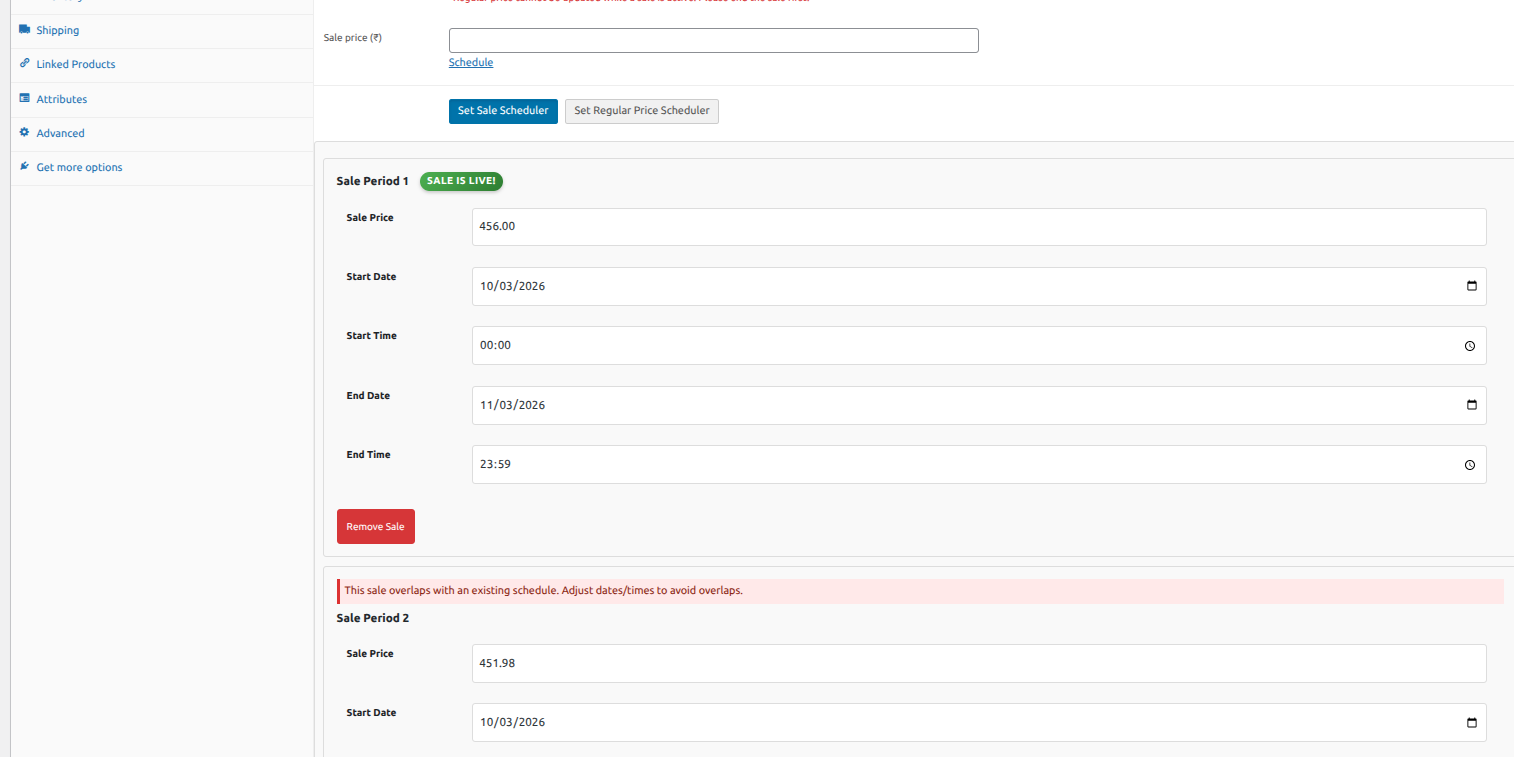
Conflict Detection With Live Status Indicator AJAX-powered overlap and duplicate validation runs as you configure each schedule. If a new sale window conflicts with an existing one on the same product or variation, the system flags it immediately in the admin before anything reaches your live store.
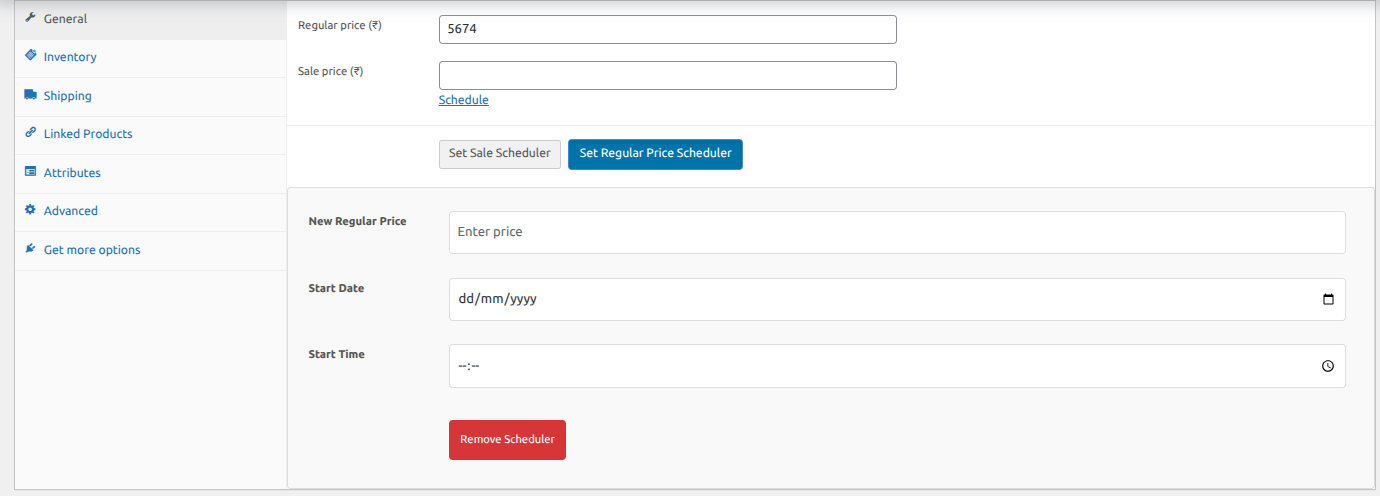
Increase Price Scheduler Schedule a future change to a product’s regular base price, not just a sale price. Enter the new price and the exact date and time it should apply. Useful for planned annual price adjustments, supplier cost pass-throughs, and any pricing change you want to handle in advance rather than on the day.
HPOS Compatible and REST API Ready Fully compatible with WooCommerce’s High-Performance Order Storage. Works with REST API and headless WooCommerce setups. Real-time activation runs across multiple hooks and via wp_ajax_sssw_check_sale_activation.
Optional Email Reports (SSSW Email Reports Addon) An optional addon sends a daily HTML email to the store admin summarising every product scheduled to go on sale the following day, including product titles, SKUs, and scheduled prices. Get a 24-hour window to review and adjust before anything goes live.
| Product Information Table | |
|---|---|
| Product Name: | Smart Sale Scheduler for WooCommerce |
| Developed by: | KrishaWeb |
| Latest Version: | 1.0 |
| WordPress version compatibility: | 6.6 or higher |
Installation Steps:
- In your WordPress Dashboard go to “Plugins” -> “Add Plugin”.
- Search for “Smart Sale Scheduler for WooCommerce”.
- Install the plugin by pressing the “Install” button.
- Activate the plugin by pressing the “Activate” button.




 Subscribe


