
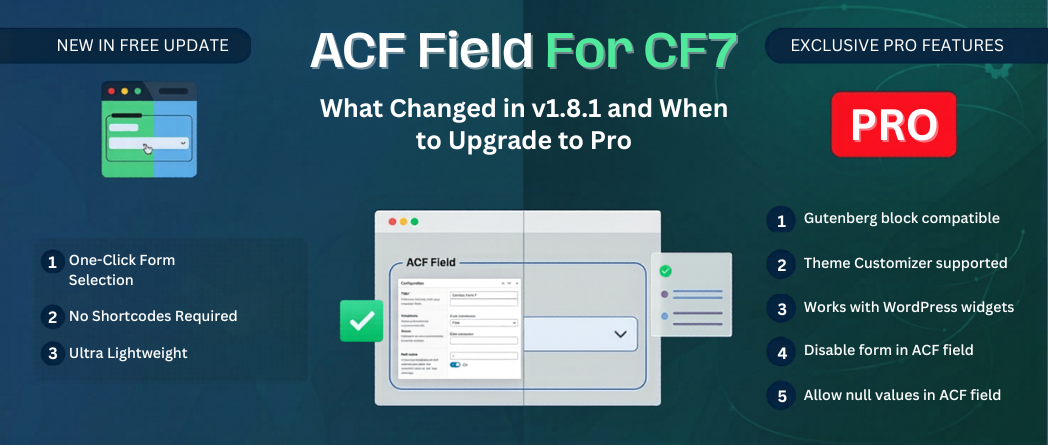
ACF Field for CF7 just pushed version 1.8.1 to the WordPress repository. It is not just a compatibility bump — there are meaningful code changes under the hood that affect how the plugin behaves with the current ACF 5 and ACF 6 versions.
Now is a good time to see where the free version ends and Pro begins, as the line between them is clearer than ever.
There are several updates that matter if you have been running this plugin on a production site.
ACF 3 and ACF 4 support dropped
The plugin now requires ACF 5 or ACF 6. If you are on ACF 3 or 4, both years past end-of-life with known security issues, you need to upgrade ACF before updating this plugin.
Allow Null toggle added
A new Allow Null toggle lets editors mark the CF7 field as optional. If no form needs to appear in a location, the field can be left empty without the template throwing an error. Previously this required custom code in the template. Now it is a field setting.
format_value() fixed for front-end rendering
The plugin now handles shortcode-to-HTML conversion at the ACF field level. do_shortcode() is no longer needed in templates. If you had it wrapped around get_field(), you can remove it after updating.
The free plugin is available at wordpress.org/plugins/acf-field-for-contact-form-7 with over 10,000 active installations. Here is what you get.
The free version does not support:
Those four gaps are specifically where Pro picks up.
The Pro version (v2.0) is available at KrishaStore for $19.99 — a one-time payment. It adds four capabilities the free version does not cover.
>> Buy ACF Field for CF7 Pro — $19.99
Gutenberg Block Support: Full CF7 field support inside custom ACF blocks. The render callback, block editor preview, and field panel all work without extra developer work after the initial build.
Widget Support: Classic widgets and FSE widget blocks both work with the Pro CF7 field. Sidebar forms, footer widgets, and custom widget areas are handled.
Theme Customizer Integration: The CF7 field works inside Customizer panels with live preview support. Form changes update in real time before publishing.
Disable Forms: Mark individual CF7 forms as disabled. They disappear from the dropdown but stay in the database. Existing assignments are not affected.
| Feature | Free (v1.8.1) | Pro (v2.0) |
| CF7 field type in ACF | Yes | Yes |
| Works on post types, pages, options pages | Yes | Yes |
| Works inside Repeater, Flexible Content, Groups | Yes | Yes |
| Rendered markup from get_field() (no do_shortcode) | Yes | Yes |
| Allow Null toggle | Yes | Yes |
| acf_cf7_object filter for form object | Yes | Yes |
| PHP 8.1 strict types | Yes | Yes |
| Gutenberg block support (ACF blocks) | No | Yes |
| WordPress widget support | No | Yes |
| Theme Customizer integration | No | Yes |
| Disable Forms option | No | Yes |
| Price | Free | $19.99 |
| Where to get it | wordpress.org | store.krishaweb.com |
The free version is the right starting point for PHP-template-based builds. Upgrade to Pro when the project needs any of these:
At $19.99 one-time, it pays for itself on the first project where you would otherwise build a workaround.
Buy ACF Field for CF7 Pro — $19.99
If you are on v1.7 or earlier, check two things before updating on a live site:
Does the free version work with Gutenberg?
The free version works in PHP templates. For native ACF block support inside the Gutenberg block editor, you need the Pro version. The wordpress.org plugin description is explicit about this—it is one of the four features listed as Pro-only.
I was using do_shortcode() in my templates. Do I still need it after updating to v1.8?
No. The format_value() addition in v1.8 means get_field() now returns properly rendered form markup without any additional shortcode processing. Remove the do_shortcode() wrapper. Your templates will be cleaner for it.
What happens to existing form assignments if I disable a form in Pro?
Nothing. Disabling a form removes it from the dropdown for future selections. Any page, post, or widget that was already using that form continues to render it. The disabled option is editorial—it prevents new assignments, it does not change existing ones.
Does Pro require ACF Pro, or will ACF free work?
The Pro version requires ACF Pro. The free plugin works with both ACF free and ACF Pro. If you are considering buying the Pro version and you are currently on ACF free, you will need ACF Pro as well — that is an additional cost to factor in.
Is the $19.99 a one-time payment or a subscription?
One-time payment. There is no recurring subscription on the store.krishaweb.com product page. You pay once and own the plugin.
Can I use both the free and Pro versions on the same site?
No. You install one or the other. The Pro version includes everything the free version does, plus the additional features. Deactivate and remove the free version before installing Pro.
Version 1.8.1 is the most solid the free plugin has been since its initial release. It handles PHP-template-based CF7 and ACF builds cleanly.
If your projects move into Gutenberg blocks, widget areas, or Customizer settings, the free version has a hard stop. Pro at $19.99 removes those limits. For any project where you would otherwise build a workaround, it pays for itself.


 WordPress Plugins


